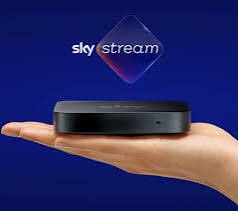
After using Sky Stream for a couple of months, I personally prefer it to my old Sky Q system. While I haven’t personally had any issues with using playlists instead of recording, I appreciate that many people are divided on whether Q or Stream/Glass is best. This update shares some of my recent experiences and learnings, as well as my thoughts on improvements I’d like to see.
The HD picture quality has been impressive, better than Q with all channels in HD. 4K is also available, and I noticed an offer for two months of ultra-4K for free. While watching “The Day of the Jackal” and “The Last of Us,” the improved picture quality in 4K was noticeable. However, I’m unlikely to keep subscribing to 4K as I don’t have cinema or sport, so entertainment content in 4K is limited.
One thing I’ve learned while using Stream is that if you experience a power cut, give the box some extended time to boot up. Don’t get impatient and restart or reset it too soon. After an unexpected power cut, it took about 10 minutes for it to boot up again. Then all was well again.
Here are my recommendations and suggestions for improving the system:
Voice Control Drop Outs
The only issue I’ve encountered is with the voice control on the remote. Every couple of weeks, it seems to lose the Bluetooth connection. Pressing 1 and 3 on the remote didn’t seem to help, and only a reset of the entire box fixes the issue when it occurs. It would be good if this can be permanently resolved.
Sky News Red Button
I’m confused why you can’t access Sky News’ red button content. It’s one of the things I miss most about Sky Q. You can search for “latest Sky News content” using a voice search, but it shows old and new videos, not just the latest ones. It’s not as convenient as having a single page displaying all the latest content. Occasionally, a rail with Sky News content appears at night on the home page, but you have no control over when it shows. Some management and options as to what shows on the home page would be useful.
Continue Watching Rail
The management of the “continue watching.” feature could benefit from an enhancement that links it to user profiles. It’s annoying when a family member watches a programme at a different pace from you, and the rail then resets your position to pick the show back up.
Using the “Continue Watching” rail could be improved by featuring all the apps you use. For example, when we watch Disney, their programmes don’t show in this rail to pick up where you left off.
Sky Go
I would like to see an improved Sky Go app that supports Sky Stream and playlist selections. This is long overdue, and while it would likely need to connect to many other apps for on-demand content, an app that just supports playlist capability would be a great starting point with the current tv guide.
Box Power Down Settings
I would also like to see settings to prevent the box from powering down. It powers down way too quickly when left on a menu or paused. For example, if I go to the kitchen for 10 minutes to prepare food and come back, I have to switch the box on again. Having settings to control this would be helpful and makes the current screen saver almost pointless. Ironically his has just happened as I write this article.
Pin Controls
The ability to switch off the pin requirement would be useful. I understand that some shows require a pin (if before the watershed), but scrolling through live TV to enter the pin repeatedly becomes annoying.
The Future
As for future enhancements, it will be interesting to see what changes Sky make to the software this year in 2025. I wonder if any of my thoughts/ideas will be on the list and what other ideas they may have. Let’s wait and see…