


I’ve owned most Nintendo consoles over the years, including the N64, GameCube, Wii, Wii U, Switch and now the Switch 2. Alongside those, I’ve also had several of Nintendo’s handheld systems, including the 3DS. It’s fair to say I’m a long-time Nintendo fan.
Whenever possible, I’ve tended to buy Nintendo’s official accessories too. Back in the Wii days I purchased additional controllers, and with the Switch I invested in the Pro Controller. Having enjoyed the original so much, upgrading to the Pro Controller 2 for the Switch 2 felt like an easy decision.
The main appeal is convenience. Being able to power on the console directly from the controller, along with the ability to map buttons, makes gaming that little bit easier.
Presentation is good, with quality packaging that feels in keeping with a premium product. The cheapest price I’ve seen is around £59.95 on Amazon, although I purchased mine from Currys as it was convenient to collect immediately. It certainly isn’t a cheap controller, but it is comparable in price to official PlayStation and Xbox controllers. Sometimes it simply pays to buy the official product.
Inside the box you’ll find the controller, a USB charging cable, instructions, and the usual protective cardboard inserts and packaging.
Setup is extremely straightforward. I plugged the USB-A end of the cable into the Switch 2 dock and the USB-C end directly into the controller to charge it.
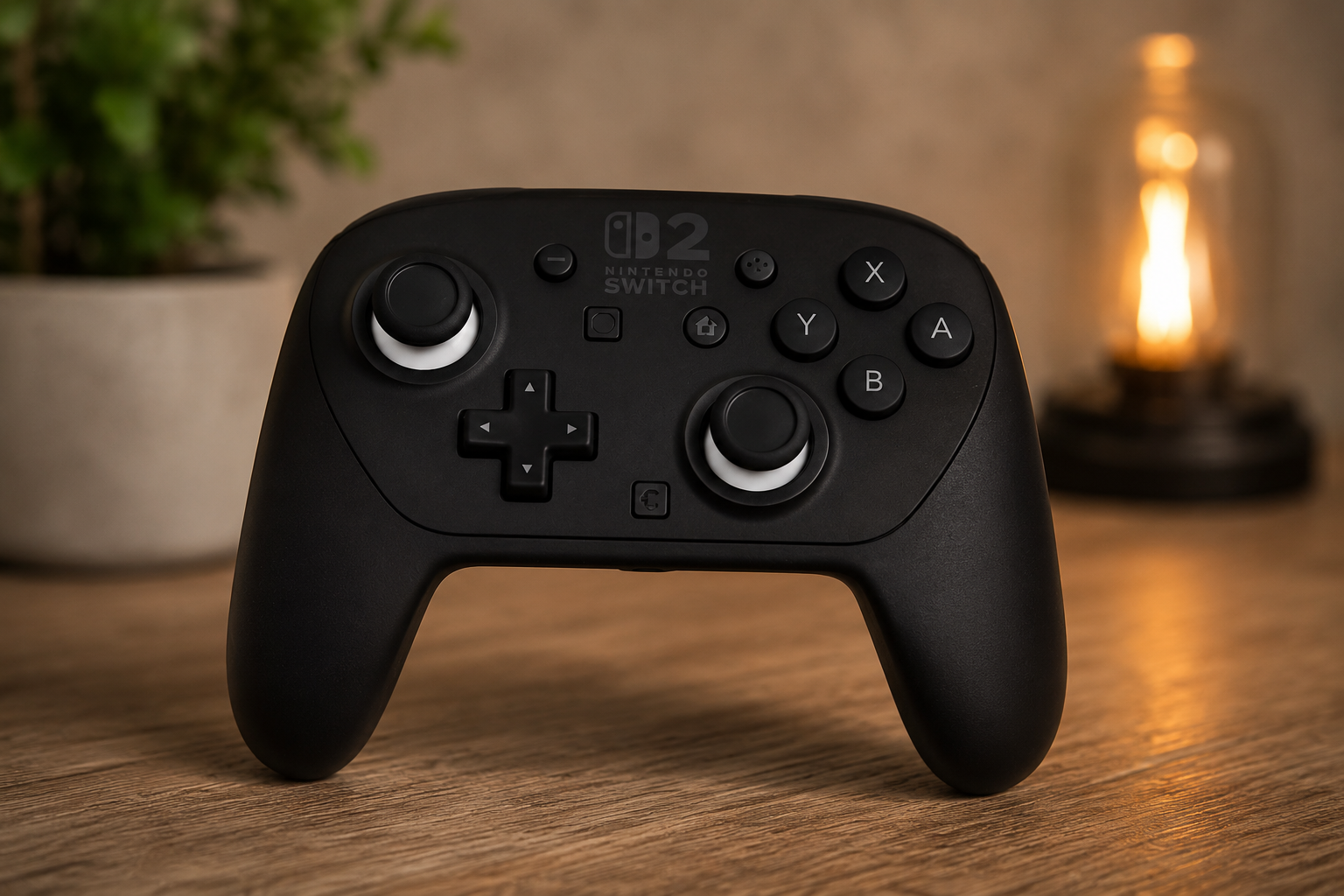
First impressions are very positive. The controller looks great, feels solidly built and is slightly smaller than the original Pro Controller. The materials feel high quality, and the colour scheme matches the Switch 2 perfectly. Nintendo claims a battery life of around 40 hours, which is impressive if achieved in real-world use. Charging is also relatively quick.
The button layout remains familiar, but there are some welcome additions. A new chat button has been included, while the “+” and “-” buttons are now slightly raised and feel more responsive. The biggest change is the addition of the new GL and GR rear buttons, which can be programmed to perform different functions.
These rear buttons are particularly useful for actions that would normally require you to take your thumbs off the analogue sticks. While they take a little time to get used to, they can make gameplay more comfortable and efficient. Button mapping can be configured directly through the Switch 2 settings menu, and the console conveniently saves individual controller profiles for different games.
In use, the controller feels every bit as premium as you would expect from Nintendo. The ergonomics are excellent, the controls are responsive, and overall it delivers a very polished gaming experience. The new rear buttons will take some adjustment, but they offer genuine benefits once mastered.
It is essentially an upgraded pro controller. However, if you spend a lot of time gaming on your Switch 2, the improved comfort, customisation options and overall build quality make it a worthwhile investment. It should prove particularly useful for 3D games where precise control can make all the difference. Overall, I am very happy with the performance. I actually prefer the look and size of this new pro 2 version to the original.







Leave a Reply