
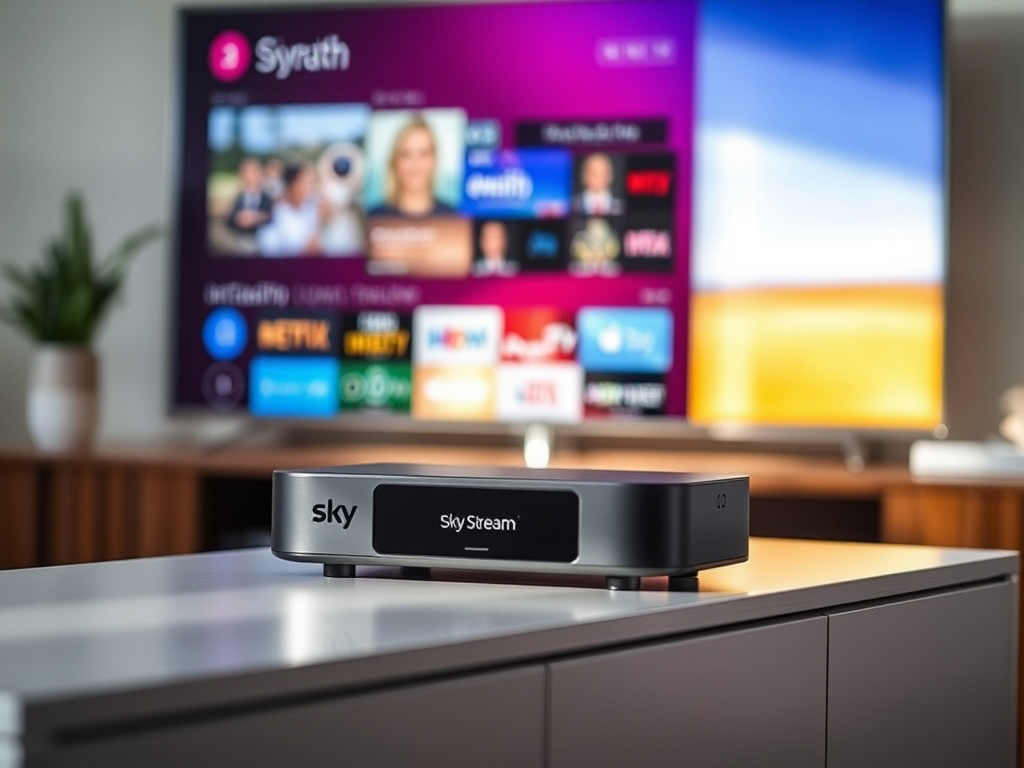


Some time a go I blogged about leaving Sky TV. I ditched my Sky Q after 4 years and opted to use an Apple 4K TV box with app subscriptions. Though happy with that setup, there were always two issues. The first was the lack of an app that implemented all the live TV channels together (rather then via apps) and the second was a library/watch list of all the shows that we were watching across all apps.

I was initially happy to make these comprises as I did feel that Sky was too expensive and did not offer the best deals to existing customers. Certainly our Sky Q deal was very expensive and we were not getting the best value and we were paying way too much for things not needed or used. While I have not been able to renew a TV package on my own Sky account at a good price, my wife and I did note some good offers that we could sign up for if we created a new account with Sky for my wife. We noticed an offer that was Sky essentials for £15 a month which included Netflix and Discovery basic. As we spend £12 a month on Netflix, it seemed to be a no brainer to move over to Sky Stream. The essentials package included Netflix with ads and we would then just pay an extra £5 to get Netflix standard.
We set up an account in my wife’s name and signed up for the Sky Essentials. As we ordered on a Saturday, the box then arrived by midday on Monday via DPD. As usual this carrier was excellent and we received notifications in advance of delivery. When I opened up the box, it was notable that the Sky Stream box was very small. The setup was fairly smooth and just required a HDMI cable to connect to the TV, the power cable and a connection to the internet. I opted to use an Ethernet cable rather than WiFi for broadband stability. Once all plugged in and connected, the system walked me through some general setup instructions and required a software update. Once the remote was connected to the TV I was up and running.

The menu system and remote appeared intuitive to use and the user interface displayed rows/rails showing programme options, top 10 programmes and more which was useful. I liked the ability to watch live TV channels and add programmes into playlists to watch later. The playlists acting as a replacements for recordings as Sky Stream is just a streaming box rather than a recorder.
While the setup of the box is quick to get up and running, it does take a while to connect all your apps. I connected my Netflix account and Discovery accounts and we were away. Many of the apps that we use required signing in and those that had QR codes to log in were the quickest. Those requiring manual entry of emails and passwords took a little longer. As some 15 apps to connect, it did take some time.
Once fully up and running, I was generally impressed as the system had all the apps and channels that I wanted. It does support all the main apps and should anything be more niche, I can always use my apple 4K TV. Having live TV channels back to stream live was a huge advantage which I have already been using. It is handy for the news and a spot of MTV to listen to in the background. The only difficulty I had initially was that the “Continue playing” row/rail did not immediately update. Maybe it takes a while to kick in but after some internet advice to make sure privacy options were set correctly on our Sky account and a restart of the box, it all started to work.

The picture quality and sound is very good and I have decided not to pay for ultra 4K via Sky Stream. Though a nice to have it is not essential and then just ends up costing more. All the channels are therefore in HD and the picture is much better than Sky Q HD ever was. First impressions were generally good and an easy to use remote. The remote being good quality and also backlit. The remote auto wakes on pickup and wakes the system if a screensaver has kicked in. Having previously used Sky Q, I was impressed with Sky Stream.
Within 24 hours, I did decide to upgrade to Sky Ultimate rather than essentials. That way, I would at least get all the Sky channels and would save me using Now TV. I definitely do not want cinema or sports so I am now happy with the available channel selection. I also selected the option to skip ads on the stream box. While we have ad free ITV and Channel 4, it made sense to still have ad free to forward through the Sky ads on other channels. The ad skipping works generally well but is not perfect and when you skip ads, it does occasionally skip too far forward into a programme.
What is daft though is that to get this deal, we had to create a new Sky account in my wife’s name as not available to me. Typical Sky really.
As a previous Sky Q customer, we already had a Sky soundbar. While it can be connected to Sky Stream, it is lacking the full features that Sky Q supported such as menu options and ability to wake the Sky Soundbox when asleep. Therefore, I did not leave the soundbox connected for long and for convenience opted to just use the sound via our TV.
I also tried to get two Sky remotes working by connecting them to the Sky stream. While never officially supported, on Sky Q a workaround used to allow a second remote (albeit without Bluetooth and via IR). Despite many efforts, I could not get a second remote working effortlessly so now just have one remote connected at least for the moment.
While Sky Stream isn’t perfect and does have some faults, I am generally impressed. We are lucky that we have 1gb broadband and therefore do not experience any issues streaming the on demand or when watching live tv. The choice of all the available programming is also good to have again. Hopefully Sky will keep investing in the software and make enhancements and continue to develop the system. I personally prefer it to Sky Q as in my opinion, recording programmes is no longer really necessary. The SKY Q system was being neglected by Sky and they were no longer pushing out updates of any value. Overall I am happy we connected again to Sky with their stream system and I am also paying a lot less. The box doesn’t take up much room and I am now free to take down the satellite dish.








Leave a Reply